
Private by design
Audio, video and transcripts remain on your computer throughout the entire transcription process.
LipiVoice Pro is an offline AI transcription application for Windows. Your files are processed entirely on your computer—no uploads, no account, and no monthly subscription.
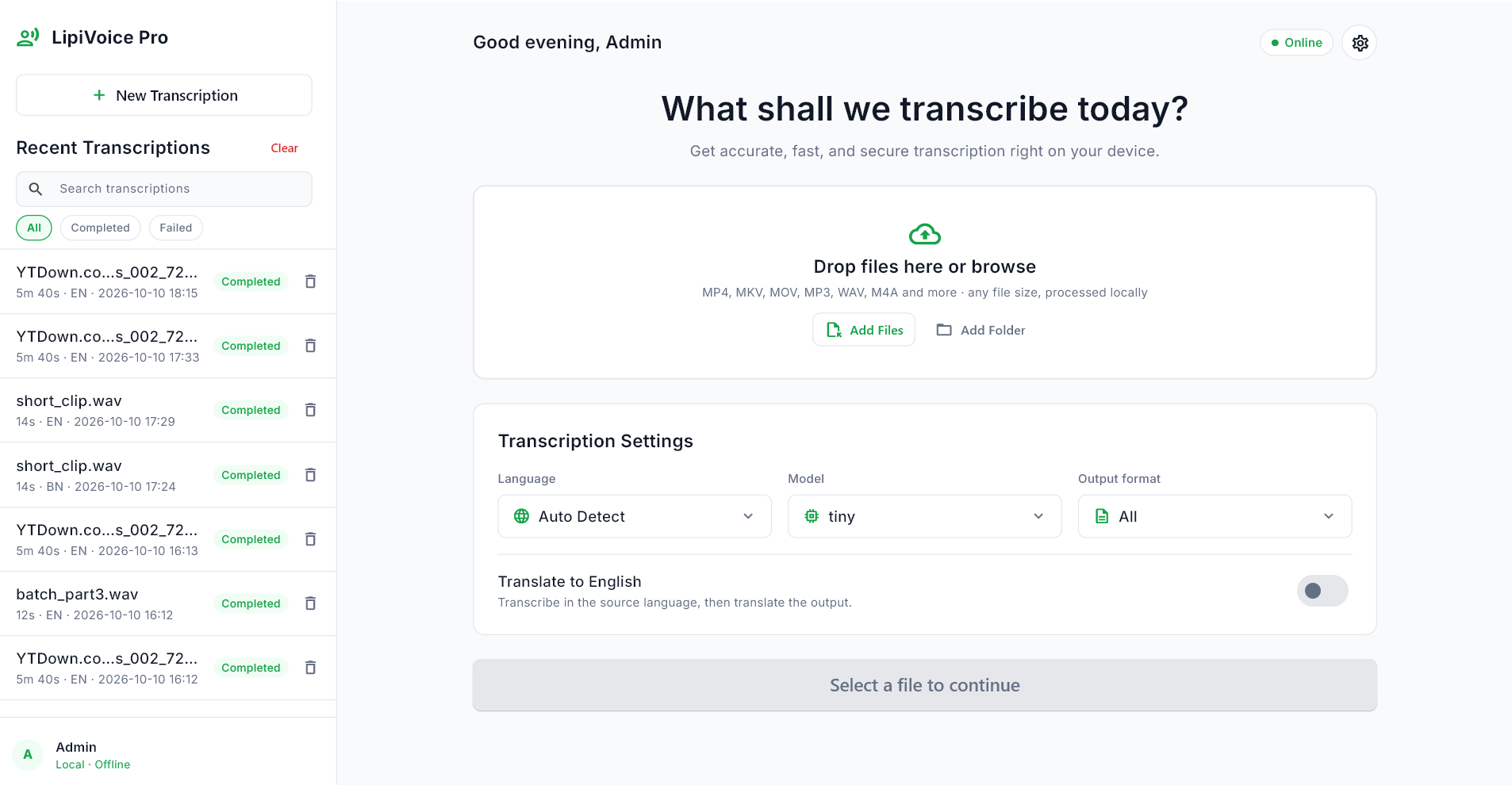
Add your files, choose a language and AI model, then export clean transcripts and subtitles—all from one private desktop application.
Recorded on a standard laptop CPU—no dedicated GPU required.
Designed for creators, journalists, researchers and privacy-focused users who want full control over their recordings.
Audio, video and transcripts remain on your computer throughout the entire transcription process.
Internet is needed only to download an AI model. Once downloaded, transcription works completely offline.
Add several files or a complete folder and process the queue without uploading anything to a remote service.
Automatically detect supported languages, including Bengali, English, Hindi, Urdu, Arabic, Spanish and many more.
Export transcripts as TXT, SRT or VTT for documents, video editors, media players and websites.
Translate supported non-English speech directly into readable English text during transcription.
Runs on ordinary Intel and AMD processors. A dedicated graphics card is not required.
Reopen completed transcripts and view language, duration and status information from the local history.
Supports formats such as MP3, MP4, MKV, MOV, WAV and M4A through the bundled FFmpeg engine.
Drag and drop files, browse your computer, or add a folder containing multiple recordings.
Select the language, model and output format, or leave language detection on automatic.
LipiVoice Pro processes the selected media locally and displays progress while it works.
Copy the text or save TXT, SRT and VTT files for your preferred workflow.
Every screenshot is displayed in its complete landscape format. Select an image to open the full-size view.
Add files, configure transcription and access recent results from a single workspace.
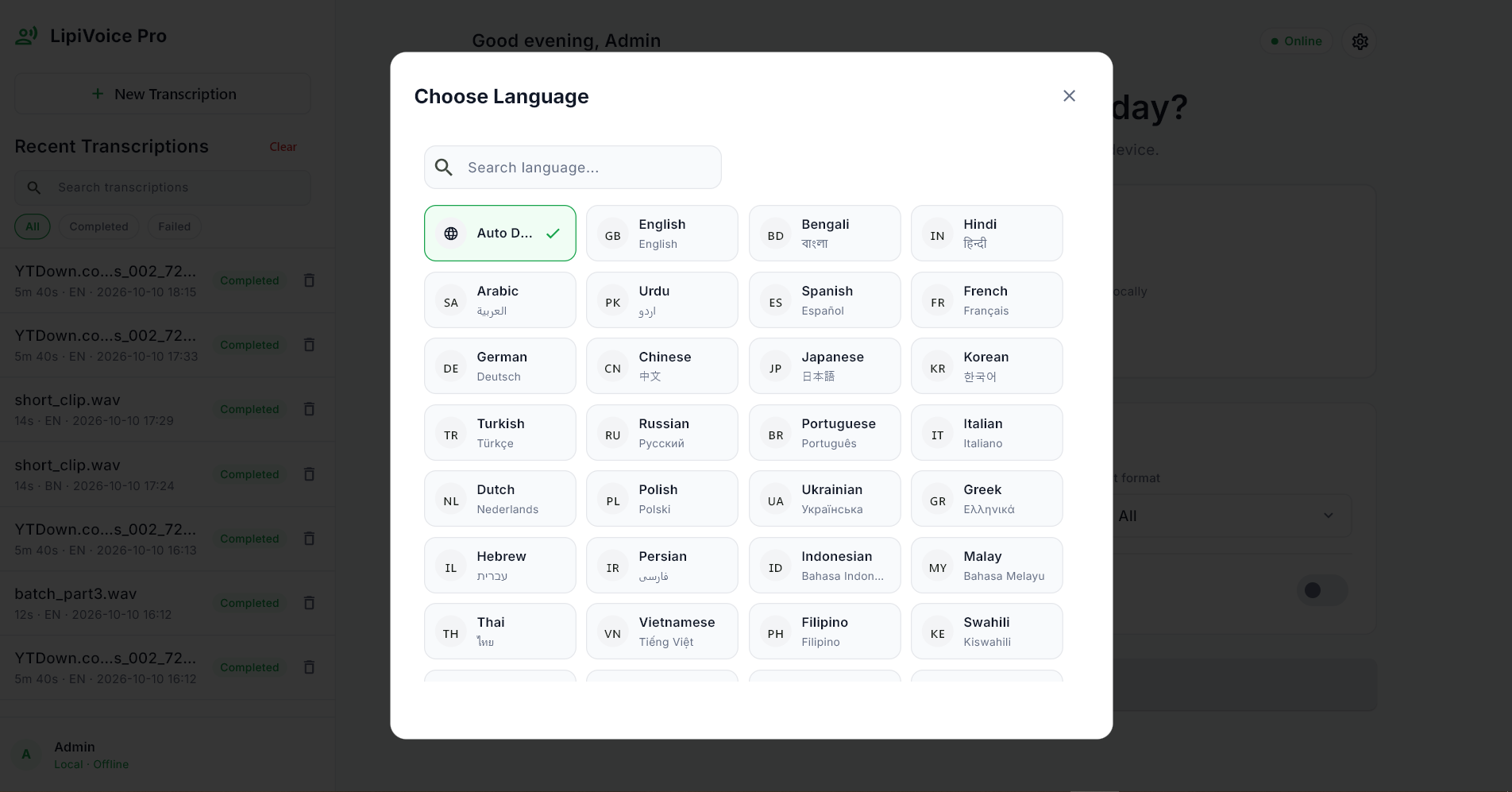
Search for a supported language or let automatic detection identify the speech.
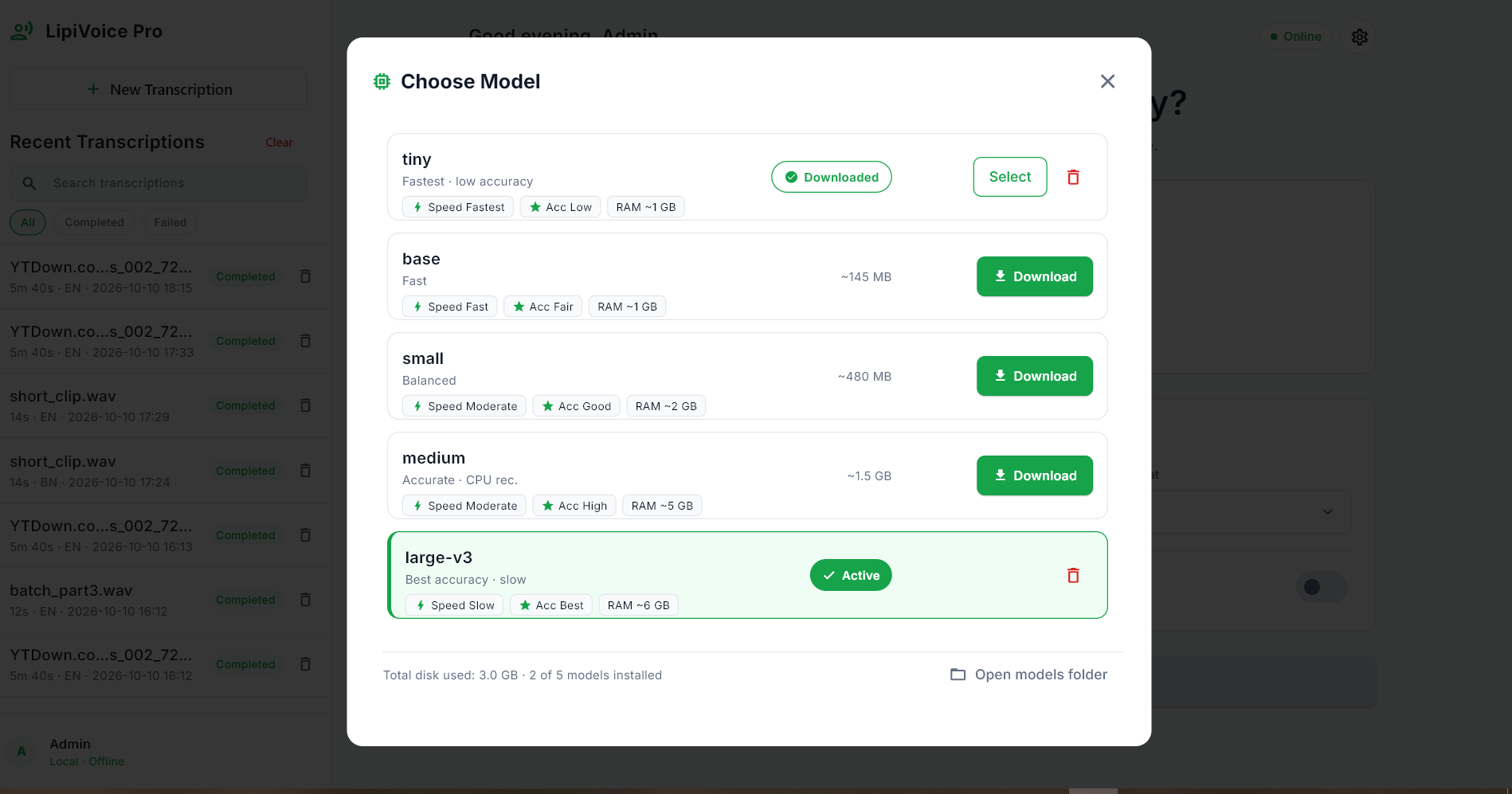
Download and select the model that provides the right balance between speed and accuracy.
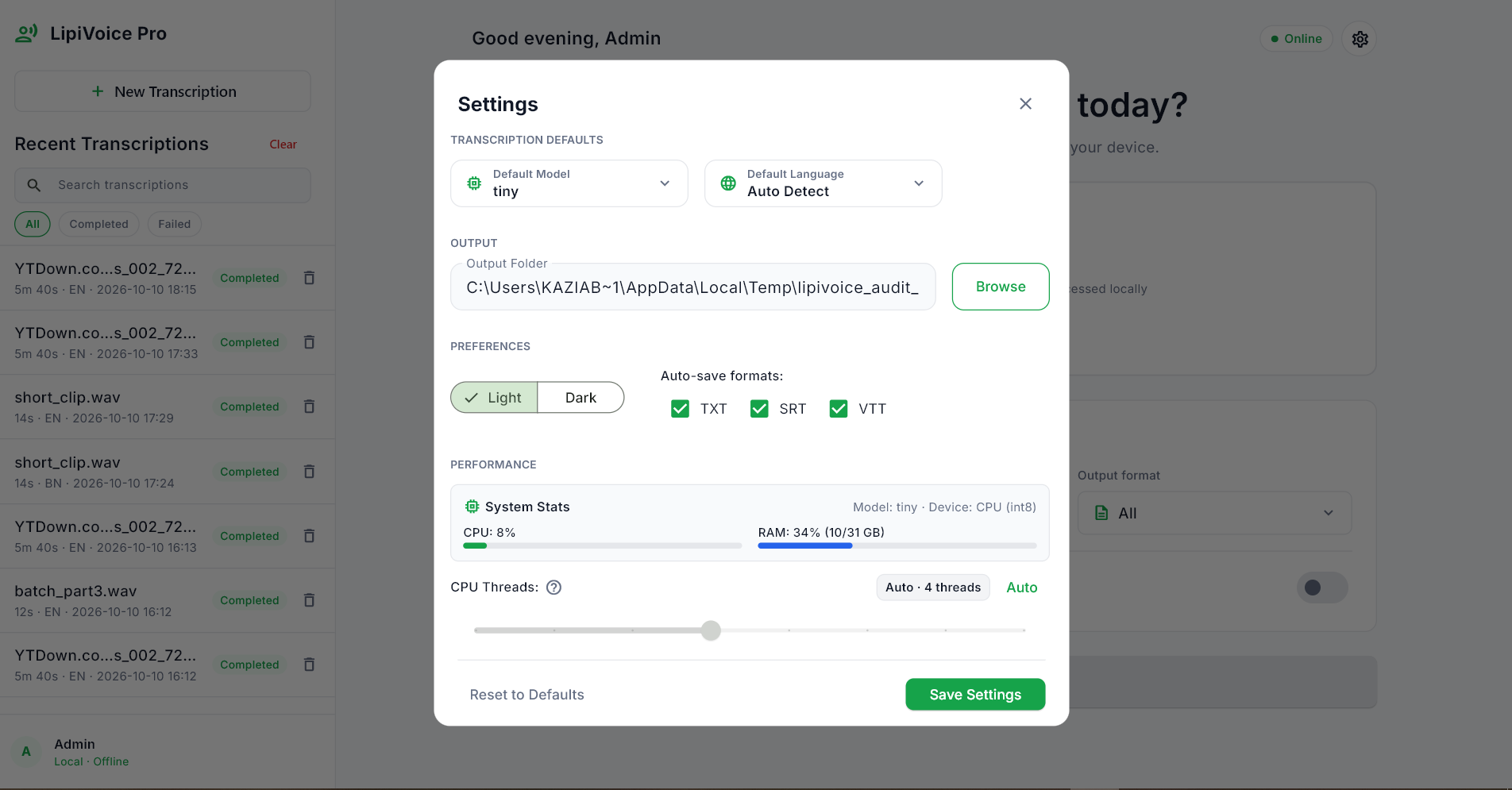
Configure defaults, output folders, automatic saving, theme and processor usage.
Models download only when you request them, helping you control disk usage and performance.
| Model | Speed | Accuracy | Approx. download | Approx. RAM | Recommended use |
|---|---|---|---|---|---|
| tinyDefault | Fastest | Basic | 75 MB | 1 GB | Quick drafts and clear speech |
| base | Fast | Fair | 145 MB | 1 GB | Everyday transcription |
| small | Moderate | Good | 480 MB | 2 GB | Balanced speed and quality |
| medium | Slower | High | 1.5 GB | 5 GB | Interviews and podcasts |
| large-v3 | Slowest | Best | 3 GB | 6 GB | Difficult audio and final subtitles |
The AI model runs locally, allowing you to transcribe sensitive media without sending raw recordings to a cloud transcription provider.
LipiVoice Pro works with regular Intel and AMD processors and does not require a dedicated graphics card.
An internet connection is needed when downloading an AI model for the first time. After the selected model has downloaded, transcription works offline.
The installer is not digitally code-signed, so Windows may show “Windows protected your PC” or “Unknown publisher.” Select More info and then Run anyway if you downloaded it from the official purchase page.
No. The installer is designed for the current Windows user and normally does not require an administrator password.
The underlying transcription models support many languages, including Bengali, English, Hindi, Urdu, Arabic, Spanish, French, German, Chinese, Japanese and Korean.
Yes. Enable the translation option to create English output from supported non-English speech.
When a new version is available, download the latest installer from your original Gumroad purchase page.
Send an email to admin@mika-ai.xyz .
Get the complete Windows installer through Gumroad and use LipiVoice Pro without per-minute credits or a recurring subscription.
Get LipiVoice Pro →Secure Gumroad checkout · Instant access after purchase · Customer support included